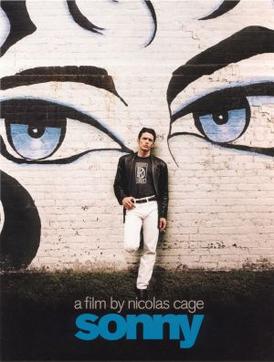
Project Title: “Sonny’s Sonic Reflections with Web Audio API”
Description
In the film “Sonny” (2002), directed by Nicolas Cage, the story follows Sonny (played by James Franco), a former male prostitute trying to escape his past and start anew. This project, “Sonny’s Sonic Reflections with Web Audio API,” uses the Web Audio API to create a unique application where users can input their thoughts, and the application will convert the text to speech, reflecting the emotional and auditory journey akin to Sonny’s own reflections throughout the film.
Starting Code
Beginner Hints:
- Create a single
index.htmlfile. - Copy the full HTML code block into that file.
- Open
index.htmlin your browser. If something doesn’t work, try a local server likepython -m http.server. - Open DevTools Console to spot errors and typos quickly.
HTML:
<!DOCTYPE html>
<html lang="en">
<head>
    <meta charset="UTF-8">
    <meta name="viewport" content="width=device-width, initial-scale=1.0">
    <title>Sonny's Sonic Reflections</title>
<style>
    body {
        font-family: Arial, sans-serif;
        background-color: #f0f0f0;
        color: #333;
        text-align: center;
        padding: 20px;
    }

    .container {
        background-color: #fff;
        padding: 20px;
        border-radius: 8px;
        box-shadow: 0 0 10px rgba(0, 0, 0, 0.1);
        max-width: 600px;
        margin: 0 auto;
    }

    h1 {
        font-size: 2em;
        margin-bottom: 0.5em;
    }

    textarea {
        width: 100%;
        height: 100px;
        padding: 10px;
        border: 1px solid #ccc;
        border-radius: 4px;
        margin-bottom: 20px;
    }

    button {
        padding: 10px 20px;
        background-color: #007bff;
        color: #fff;
        border: none;
        border-radius: 4px;
        cursor: pointer;
    }

    button:hover {
        background-color: #0056b3;
    }

    #result {
        margin-top: 20px;
        font-size: 1.2em;
    }
</style>
</head>
<body>
    <div class="container">
        <h1>Sonny's Sonic Reflections</h1>
        <p>Enter your thoughts and hear them as Sonny might reflect upon them.</p>
        <textarea id="userInput" placeholder="Type your thoughts here..."></textarea>
        <button onclick="playText()">Play Text</button>
        <div id="result"></div>
    </div>
<script>
    function playText() {
        const userInput = document.getElementById('userInput').value;
        const utterance = new SpeechSynthesisUtterance(userInput);
        speechSynthesis.speak(utterance);
    }
</script>
</body>
</html>
References
- Film: “Sonny” (2002)
- API: Web Audio API