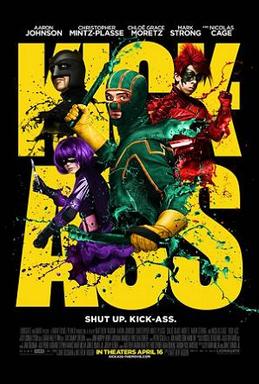
Project Title: “Kick-Ass: Power-Boosted Experience with Screen Wake Lock API”
Description:
In this project, we integrate the action-packed and energetic world of Kick-Ass with the capabilities of the Screen Wake Lock API. Kick-Ass follows an ordinary teenager who becomes a real-life superhero, fighting crime with a blend of bravery and technology. Similarly, this project will ensure that your web application remains active and awake during critical tasks, leveraging the Screen Wake Lock API to prevent the screen from dimming or locking.
Features:
- Prevent Screen Lock: Use the Screen Wake Lock API to keep the screen awake during important activities.
- User Interaction: Allow users to activate and deactivate the wake lock as needed.
- Thematic Design: Implement a design inspired by the dynamic and energetic atmosphere of Kick-Ass.
Starting Code:
Beginner Hints:
- Create a single
index.htmlfile. - Copy the full HTML code block into that file.
- Open
index.htmlin your browser. If something doesn’t work, try a local server likepython -m http.server. - Open DevTools Console to spot errors and typos quickly.
Here’s a basic setup to get you started. This includes the initial HTML, CSS, and JavaScript to integrate the Screen Wake Lock API and create a power-boosted user experience.
<!DOCTYPE html>
<html lang="en">
<head>
    <meta charset="UTF-8">
    <meta name="viewport" content="width=device-width, initial-scale=1.0">
    <title>Kick-Ass: Power-Boosted Experience</title>
<style>
    body {
        font-family: Arial, sans-serif;
        background-color: #111;
        color: #fff;
        text-align: center;
        padding: 20px;
    }

    h1 {
        color: #ff4500;
    }

    button {
        background-color: #ff4500;
        color: white;
        border: none;
        padding: 10px 20px;
        font-size: 16px;
        cursor: pointer;
        margin: 5px;
    }

    #output {
        margin-top: 20px;
        font-size: 18px;
        white-space: pre-wrap;
        text-align: left;
    }
</style>
</head>
<body>
    <h1>Kick-Ass: Power-Boosted Experience</h1>
    <p>Keep your screen awake during critical tasks with the Screen Wake Lock API!</p>
    <button id="activateBtn">Activate Wake Lock</button>
    <button id="deactivateBtn" disabled>Deactivate Wake Lock</button>
    <div id="output"></div>
<script>
    let wakeLock = null;

    async function requestWakeLock() {
        try {
            wakeLock = await navigator.wakeLock.request('screen');
            document.getElementById('output').innerText = 'Wake lock is active.';
            document.getElementById('activateBtn').disabled = true;
            document.getElementById('deactivateBtn').disabled = false;
        } catch (err) {
            document.getElementById('output').innerText = `Error: ${err.name}, ${err.message}`;
        }
    }

    function releaseWakeLock() {
        if (wakeLock !== null) {
            wakeLock.release().then(() => {
                wakeLock = null;
                document.getElementById('output').innerText = 'Wake lock is released.';
                document.getElementById('activateBtn').disabled = false;
                document.getElementById('deactivateBtn').disabled = true;
            });
        }
    }

    document.getElementById('activateBtn').addEventListener('click', requestWakeLock);
    document.getElementById('deactivateBtn').addEventListener('click', releaseWakeLock);
</script>
</body>
</html>
References:
- Kick-Ass (2010):
- Screen Wake Lock API:
Praise Cage! Embark on this coding adventure and create an interactive experience that leverages the Screen Wake Lock API to keep the screen active during critical tasks, inspired by the high-energy world of Kick-Ass.